
This example assumes that you are using the default downloader (Historical Stock Market Data), which gets historical end-of-day quotes from Yahoo Finance website. Steps: - Visit the following link to get all market indices supported by the data provider (Link) - Index symbols often start with "^" - First, you need to add the index symbol to your database - Select "Symbol" then "Add Symbol" - Type one or several symbol names then click on "Add". - Select "Download" then "Download Manager" - Select the "Historical Stock Market Data" item then click on "Open Selected Downloader" - In Symbols tab, specify one or several symbols ("Custom Symbols" condition or "Symbols Info -> Name -> ^*" condition) - Click on "Start Downloading" 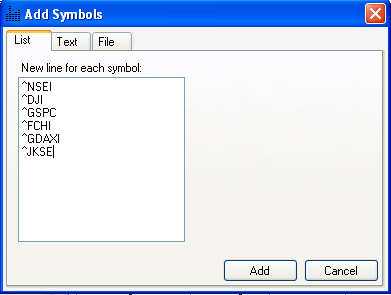  Note that each downloader gets quotes from a specific data provider (Example: Yahoo Finance, Google...). A ticker symbol that is valid for one data provider could be invalid for another one; this is true especially with market indices. You should always verify valid ticker symbols in the Symbol Lookup or equivalent page of the data provider website. If you want to know from which data provider a downloader gets its data, follow these steps: - Select the download item - Click on "Update" at the top of the download manager form - The data provider URL can be located under the "URL" column - If the cell is empty then this means that the URL is created dynamically using the URL-Script. Click on "Parser" to get the URL.
|

|
|
|
|




