
Join Now or Login

Create an account to download QuantShare for FREE. This account allows you also to download trading objects from our sharing server.

Log in with your facebook-account:


Recent Posts

New features in QuantShare - Trading Software
Posted Yesterday

Technical Analysis Using Multiple Timeframes
Posted 9 days ago

Short Index - Part 2
Posted 16 days ago

Short Index - Part 1
Posted 23 days ago

Trend Following and Moving Averages
Posted 30 days ago

Show All

Shared Trading Objects
Show All
Hong Kong Stock Exchange - historical data (by The trader, uploaded 108 days ago)
No notes
Rate an item Rate an item Rate an item Rate an item Rate an item Write a review no reviews Report an item
Toronto Stock Exchange (by bug man, uploaded 118 days ago)
No notes
Rate an item Rate an item Rate an item Rate an item Rate an item Write a review no reviews Report an item
Recent mergers and acquisitions (by Patrick Fonce, uploaded 265 days ago)
No notes
Rate an item Rate an item Rate an item Rate an item Rate an item Write a review no reviews Report an item
StockTwits (by QuantShare, uploaded 310 days ago)
No notes
Rate an item Rate an item Rate an item Rate an item Rate an item Write a review no reviews Report an item
Technical indicators time series (by The trader, uploaded 218 days ago)
No notes
Rate an item Rate an item Rate an item Rate an item Rate an item Write a review no reviews Report an item
Canada Stock Market Symbols (by QuantShare, uploaded 314 days ago)
No notes
Rate an item Rate an item Rate an item Rate an item Rate an item Write a review 2 reviews Report an item
Number of reviews
Click to add a review
Average rate
Click to rate this item
Number of times this object was downloaded
Number of rates the current object received
Report an object
if you can't run it for example or if it contains errors
Click to report this object

Automatically create historical quotes charts

Updated on 2009-06-20 07:26:07


Chart class

The Chart object is created using the .Net Script; it contains the chart settings and allows you to perform some actions on the pointed chart.
A chart class could be created using the following function Charts.GetSelectedChart(); it orders the application to get a chart object of the currently selected chart.

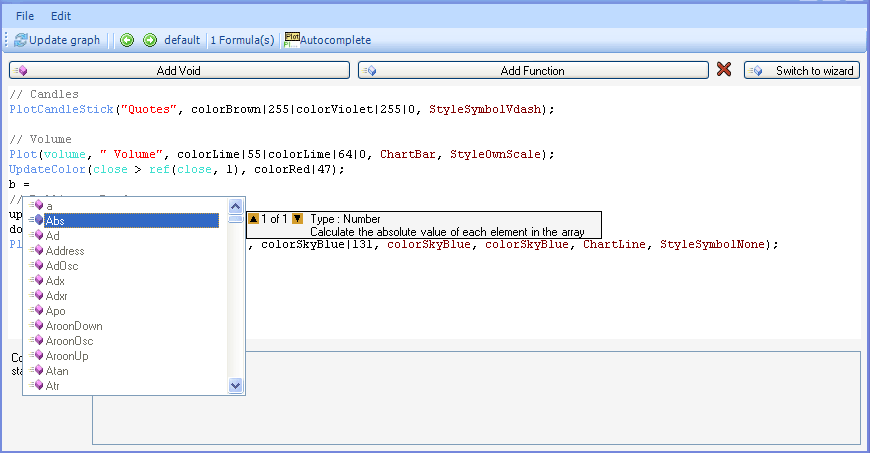
Open the script editor 'Tools->Script editor' and type the following code to see what variables and functions the chart class exposes:

var chart : Chart = Charts.GetSelectedChart();
chart.
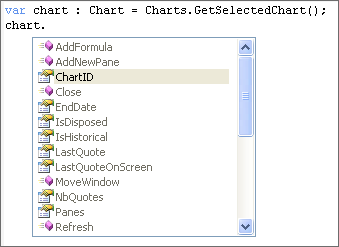


As you can see, you can add a new formula, add a new pane, get the number of quotes, move the chart window, change the symbol name, get the visible start or end dates…

Historical Quotes Charts

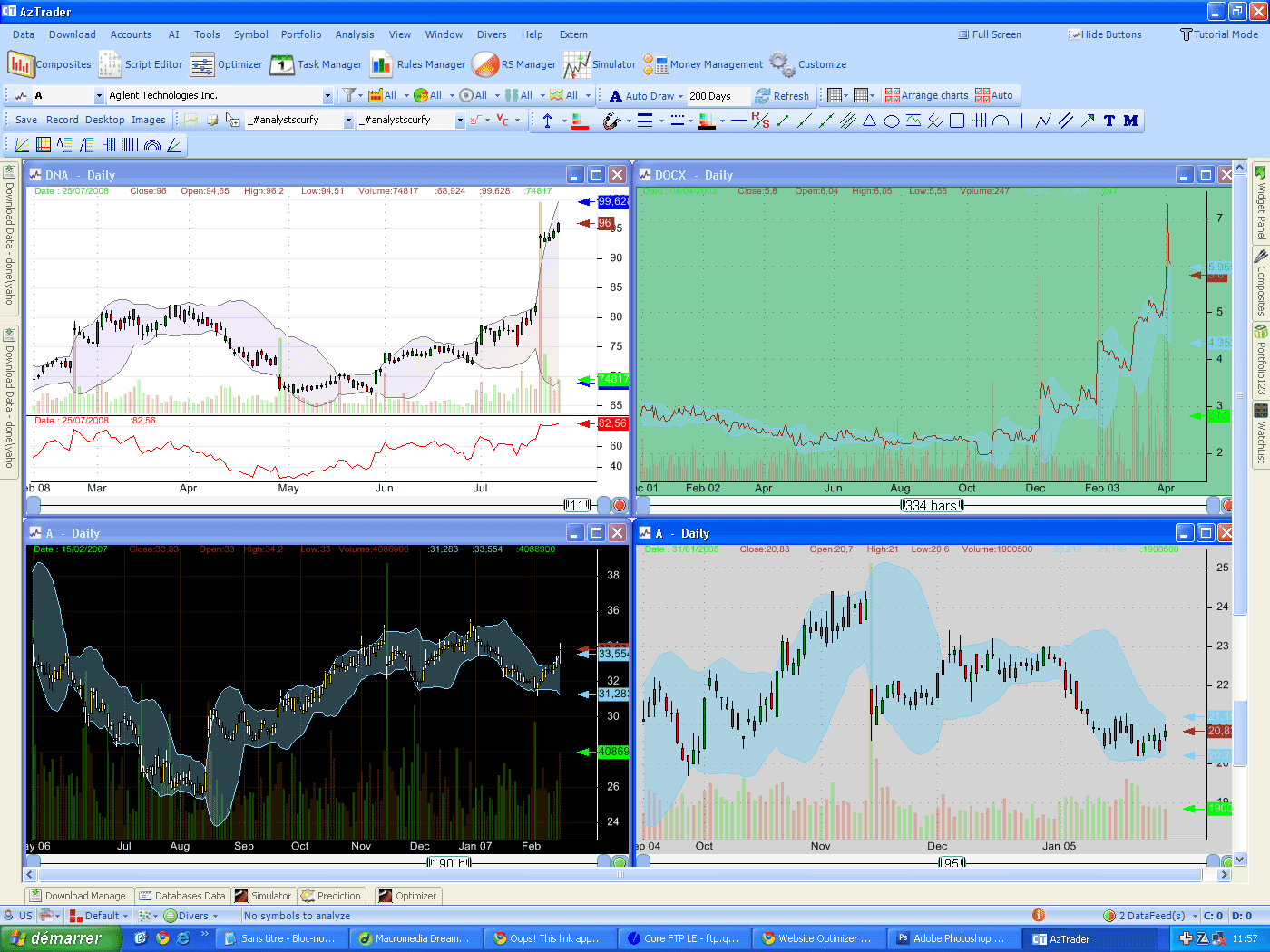
Now let us create a script that opens 9 charts to display the historical quotes of some symbols. Here is the code:

var nbcharts : int = 9;
var currentnbcharts : int = Charts.NbCharts;
if(currentnbcharts < (nbcharts))
{
for(var i: int = 0;i<(nbcharts - currentnbcharts);i++)
{
// Get the default chart formula and symbol
var chart : Chart = Charts.OpenChart(null, null, null);
chart.ScrollBarNbQuotes = 10000;
}
}
// Arrange charts
Charts.Arrange();

You can change the 'nbcharts' (number of charts) variable to specify exactly how many charts you want to be displayed in the screen. The 'chart.ScrollBarNbQuotes' variable gets a value of 10000, which means that our charts will display historical quotes of 10000 bars, if enough data is available.
Each chart will show historical quotes that go back to 2002.

To make the charts look better, you can remove the title bar from each one.
To do so, click on View', then select 'All windows style', and finally click on 'Without caption'. This will remove the caption of all visible charts.
You can make the removal of caption permanent for new charts by selecting 'View->Window Style->without caption'.
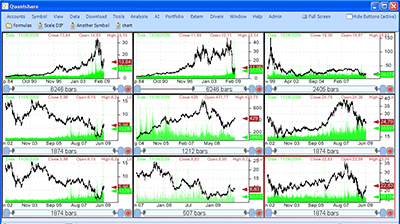
Automatically create historical quotes charts

Note also that you can specify the number of columns and rows in the last function (Charts.Arrange) and thus you can arrange charts in different ways.


no reviews (Log in)

Posts

Same chart, different symbols
Posted 276 days ago

Composite Indicators
Posted 279 days ago

Example of advanced rule
Posted 281 days ago

Beta release
Posted 283 days ago

Back


contactus
About | Privacy | Terms of Use | Manual
Copyright © 2010 QUANTSHARE.COM