
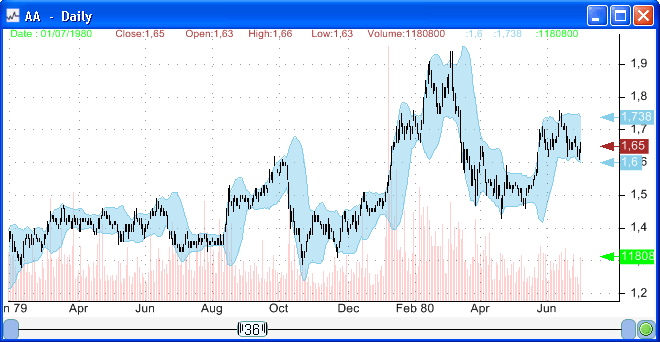
An historical database that is adjusted for corporate actions is a database whose prices are adjusted for stock splits, reverse stock splits, dividends, bonuses... If you look at a chart of a stock and find huge gaps in the price series, this could be due to splits. Other corporate actions, as dividends, create much smaller gaps. Depending on the historical database you are using, you may need to adjust stocks for dividends or splits. Some databases are already adjusted, this is the case for example with the Yahoo database (Yahoo EOD historical quotes). Historical data from Yahoo has close price adjusted for dividends and splits while historical data from Google is adjust for splits only. Stock Split A company may want to increase or reduce its number of outstanding shares. This can be accomplished by a stock split; the market capitalization of the company is not changed by this action. However, the stock price is changed depending on the split ratio. For example, if a company stock price is 20$ and the company issues a 2-1 (2-for-1) stock split, every shareholder will be given an additional share and at the same time the stock price became equal to 10$. A reverse split, for example 1-for2 split, reduces the number of shares of a company. A shareholder that owns 100 shares will see its number of shares reduced to 50 shares. You can download a stock split database using the following item: Splits Calendar - Historical data for U.S. Stocks. This downloader allows you to get the split date, optionable field (whether a stock has options), split ratio and the date the split was announced. Dividend Dividends are payments made by a company to its shareholders. Some companies distribute a portion of their profits to their shareholders (otherwise they keep that profit and re-invest in into the business); this payment is what is called dividend. Dividends has some effects on the company security price, on the ex-dividend date (For U.S. companies, it is generally two trading days before the record date), the stock price falls by the dividend per share (Total dividend paid divided by the number of outstanding shares) amount. If your database is not adjusted for dividends, these small gaps can be adjusted, by multiplying prices before the ex-date by a factor. The factor is equal to: (close(t - 1) - d) / close(t - 1), where close(t - 1) is the close price of the trading day before the ex-date (t) and "d" is the dividend amount. To make these adjustments you will need an historical database of dividend payments and an unadjusted historical quotes database. The dividends database can be downloaded using the following item: History of dividend payment for stocks in the US stock market. Note that data from Yahoo is already adjusted for dividends. Here is a blog post that shows you how to create your own dividend database (create the downloader mentioned above): How to download the history of dividend payments for stocks in the US market Adjust for Splits and Dividends in QuantShare QuantShare offers two ways to adjust prices, using "dividend" and "split" tools. The "dividend" tool allows you to adjust stocks for dividends or bonuses. The tool can be accessed by clicking on "Symbols" in the main menu, then clicking on "Dividend". Here is how it works: Select a symbol, an ex-date and the dividend or bonus amount. When done, click on "Add". To adjust for dividend or bonus directly from a chart, select a date (move your mouse over a date) then click on CONTROL+B. The "split" tool allows you to adjust stocks for splits. The tool can be accessed by clicking on "Symbols" in the main menu, then clicking on "Split". Here is how stock splits work: All splits to be applied are displayed in the left grid. To add a split, you can select a symbol, select a date then click on "Add split date". You can also automatically add splits by analyzing a particular stock and finding potential splits. This feature detects gaps in the price series and determines whether these gaps could be due to splits. A parameter called "Sensitivity" allows QuantShare to define a threshold that will be used to detect splits. The higher the sensitivity value the more splits can be detected. However, not all "potential" detected splits are real splits. A price gap due to an earnings surprise or good news could be interpreted as a split. To detect potential splits, click on "Analyze". All splits will be added to the left grid panel. Once you have added all your splits, you can update the ratio (new: old) by double clicking on the appropriate cell. Finally, to adjust your stock for all these splits, click on "Apply". To adjust for splits and reverse splits directly from a chart, select a date (move your mouse over a date) then click on CONTROL+S. Note that you do not need to bother with split and dividend adjustments if you are downloading quotes from a database that is already adjusted for these two corporate actions. Again, prices downloaded from Yahoo are already adjusted for dividends and splits. Data from several other data providers including Google are adjusted for splits only.
|

|
|
|
|