

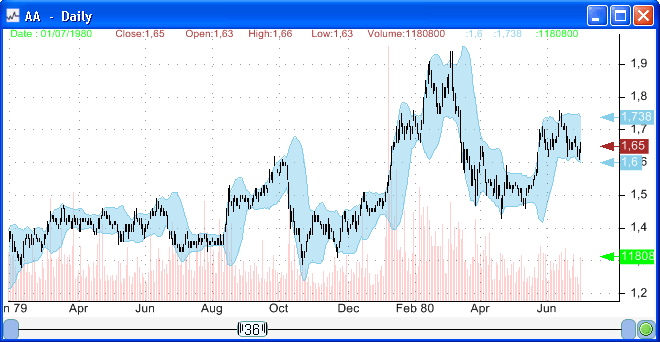
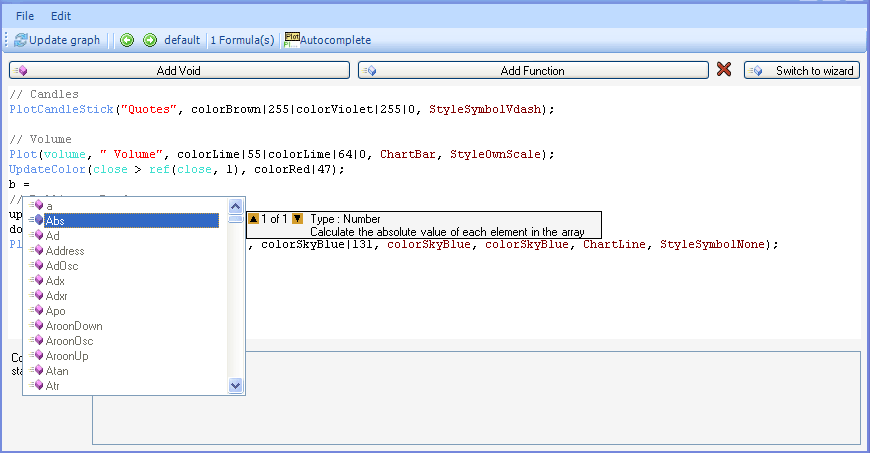
The Short Index or Short Ratio Index is an index that uses short selling data downloaded by Short Selling Data and built using the composite plug-in of this trading software. This post describes all the steps you need to perform in order to create the Short Index composite. The whole process can be divided into three parts. The first part, which consists of selecting ticker symbols, was described in the first post Short Index - Part 1. The second and third parts will be described in the next paragraph. Before continuing please read the first post, create a new composite, select ticker symbols and then go to the "formula" view. In the "formula" control, we need to create three composite variables. The first one will contain the sum of short volume of all U.S. securities; the second will contain the sum of long and short volume of all U.S. securities and the third will get for each trading day the number of stocks that have short selling data. Here is the formula: 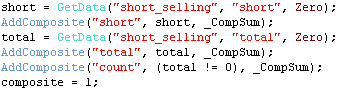 "GetData" is a vector-based function that gets time-series data from a custom database. A composite can be created by assigning a vector to the "composite" variable or by using the "AddComposite" function. In our case, there are several composites so we have to use the "AddComposite" function. Click on the "Script" button. We can retrieve a previously created composite variable (with the vector-based language) using the "Functions.GetVariable" function. Example: double[] shortdata = Functions.GetVariable("short"); The above function will return a time-series that contains the total short volume for all stocks and for each date. For each array index, you can get the corresponding date by retrieving the dates array using the "Functions.GetDates()" function. The following script needs to be added to your composite: 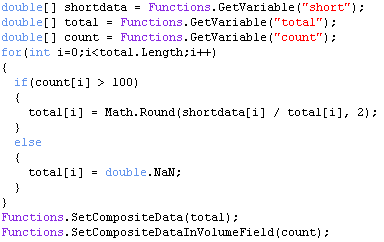 The function "Functions.SetCompositeData" sets the data that will be associated to the Short Index composite. The "total" variable is calculated simply by dividing the short volume by the total volume. The calculation is performed only if, on a specific date, more than 100 stocks have short selling data. Using the "Functions.SetCompositeDataInVolumeField" function, we assign the "count" variables to the "volume" field of the Short Ratio Index composite. Close the script form and click on "Next". Set the composite name to "Short Index" and click again on "Next". As soon as the composite calculation finishes, a new symbol called "_Short_Index" is created. The composite is available for download here Short Ratio Index
|

|
|
|
|