

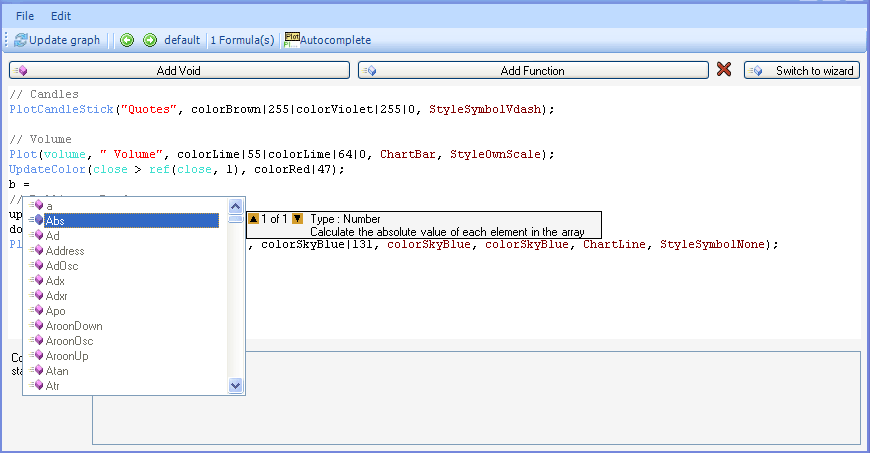
Buy on Monday, sell on Wednesday, exit your positions on September or October; these are simple rules that can be easily implemented in any of your trading systems. The common point of these rules is that they all use the date vector in their internal calculation. The date vector is an array of dates where each date corresponds to a bar’s start date. Buy on Monday and sell on Wednesday rule uses the QuantShare function (DayOfWeek), which returns 1 if the current bar starts in Monday, 2 for Tuesday, 3 for Wednesday... This simple trading system could be translated into the following two rules: buy = DayOfWeek() == 1; sell = DayOfWeek() == 3; If you want to include a trading rule that uses the month value in its calculation then the "Month" function is what you need. For the example that says exit your positions on September or October, the QuantShare formula is: sell = (Month() == 9 || Month() == 10); Here is a list of other QuantShare date-related functions: Date: Returns the date in a String format. DateTicks: Returns the number of ticks that represents the current bar date. DayOfYear: Returns the current bar's day of the year, Example: On 11-01-2007, this function returns a value of 11. Week: Returns the current bar's week of the year Day: Returns the current bar's day of the month Month: Returns the current bar's month Year: Returns the current bar's year There are also some other date-related functions that we will not discuss here and which deal with hours, minutes and seconds. If you need more complex and advanced date-related functions, you can always create a custom function and use the JScript.Net language to implement it. As an example, we will create a very simple function that returns the current bar's month value and thus will give the same results as the QuantShare "Month" function. First, open the "Custom Functions" form and create a new function, call it for example "Month1". We have to iterate through all the values of the date vector. The date vector, which is of "VectorDate" type, is retrieved using the following function: "cFunctions.Date". It internally contains an array of Date Time values. To get the date of the bar number 1200; we use the following function: cFunctions.Date.GetValue(1200); Let us go back to our iteration; for each bar's date, we need to get the date's month value. The .Net property of a DateTime variable (Month) is used for that purpose. You do not have to guess what methods, properties or fields are available for a given variable; all you need to do is type CTRL+SPACE (Control + Space) and QuantShare will display all the available methods, fields and properties. The final script uses only three lines of code: for(var i:int = 0;i<result.Length;i++) { result.SetValue(i, cFunctions.Date.GetValue(i).Month); }
|

|
|
|
|