

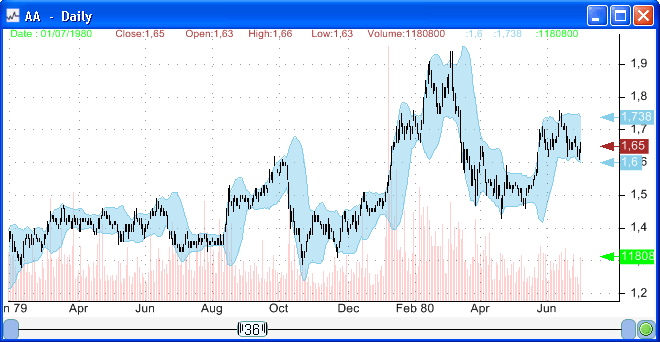
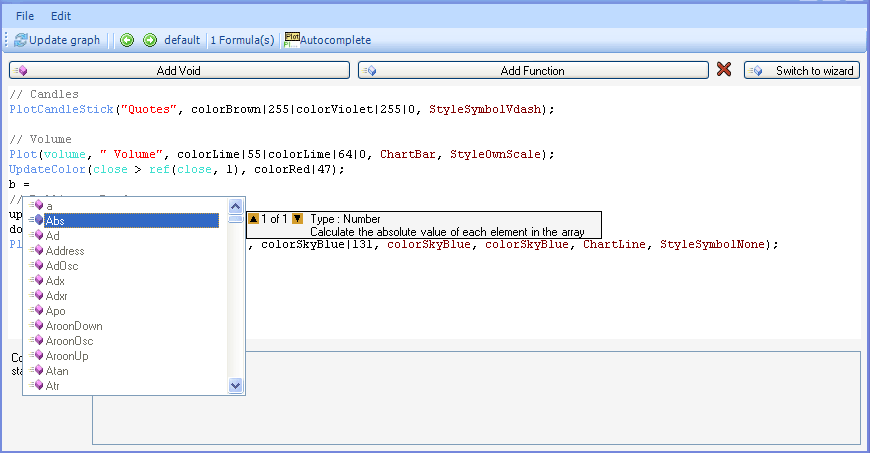
In this post, we will show you how to improve your trading rules performance by splitting the generated positions and classify them using another trading rule. As an example and for the rest of the article, we will use the historical volatility level to classify the positions generated by the trading rules we want to improve. Here is how the annualized historical volatility calculation is done. We first calculate the logarithmic returns of a security (log(close / ref(close, 1))), then we apply the standard deviation (Stddev(array, 252)) and finally we annualize the volatility by dividing it by the square root of (1 / 252) (Suppose there are 252 trading days in a year). The result is the following formula: Stddev(log(close / ref(close, 1)), 252) / (sqrt(1 / 252)), let’s call it: AnnVol. To create the volatility regimes, we will use the (States) function. States(AnnVol, 1|0.6|0.3|0.1) returns 0 if the annualized volatility is below 10%, one if the volatility is between 10% and 30%, two if it is between 30% and 60%, three if it is between 60% and 100% and finally four if it is above 100%. Now let’s open the Rules Manager form, and create a trading rule. For this example we have created a simple rule which is: rsi(14) > 60. Select this rule and open the "Mass rules" form. Select the mask that will generate the "states" function (download this mask here: Historical volatility regimes) and click on "Create Rules". You will end up with 2 rules; the first one is the original trading rule. The second one, which has 5 iterations, contains two parts: your original rule + a volatility constraint. Open the analyzer (click on Analyze), select the output (In this example, we have chosen "N-Bars stop output"), symbols, periods (Start and end date) and then start the analyzing. When the process completes, right click with your mouse button on any trading rule int the first column of the grid that displays the rules analyzing results, then select (volatilitystate). This will display a chart that shows the rules performance over the different volatility states. 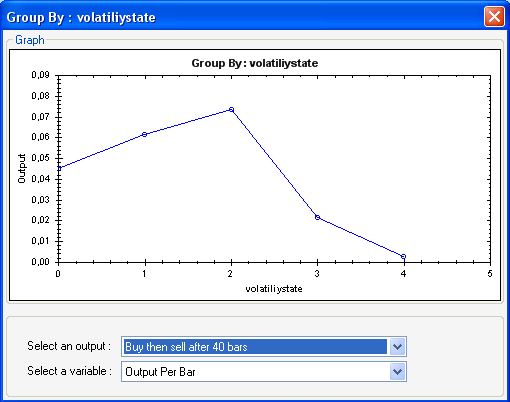 In this article, we have used the annualized volatility as a way to test a rule performance over different volatility regimes. We have classified the volatility into 5 different regimes, which is an arbitrary choice. Any other time-series can be used in substitution to the annualized volatility. We can use for example: the distance between the close price and its 200-bar moving average, or the volatility of an index, or the relative performance of a security and its index...
|

|
|
|
|