How to display the bar index of a stock on a chart
Updated on 2011-10-22 05:12:08
|
Here are three different ways to display a stock or asset's bar index on a chart.
In order to plot the bar index, you should right click on chart, select "Edit Formula", type one of the next formulas then click on "Update Graph". Each method uses a different function and each one has its own customization settings. For example, the "PlotSymbol" function lets you update the color, back-color, location and symbol type of each element.
Method 1:
plot(sum(1), "Bar Count", colorGreen, ChartStep, StyleOwnScale);
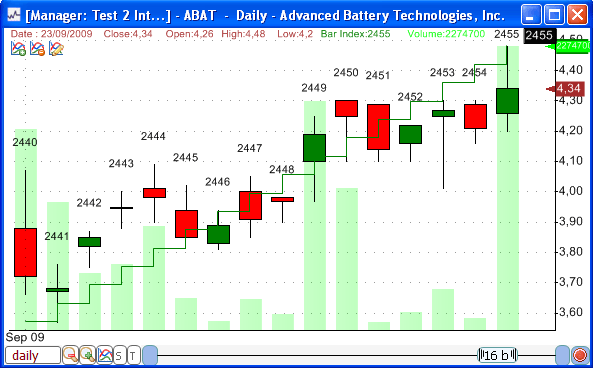
This will create a bar index line. The value of the line at bar X is equal to X. The bar index value is displayed at the top of the chart.
Method 2:
PlotSymbol(1, sum(1), 0, 0, AboveHigh, colorTransparent, colorBlack, PlotSymbolNone);
By using the "PlotSymbol" function, you can display the bar index value just above the bar's high in a candlestick chart.
Method 3:
PrintChart(sum(1), "Bar Count", TopRight, colorWhite, colorBlack, colorBlack, 250);
The "PrintChart" function lets you print the bar index value on a chart. Each time you move your mouse over the chart, the value is automatically updated.
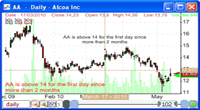
Here is a chart that combines all these methods:
|